
How Much is a Gaming PC Monitor: A Complete Guide
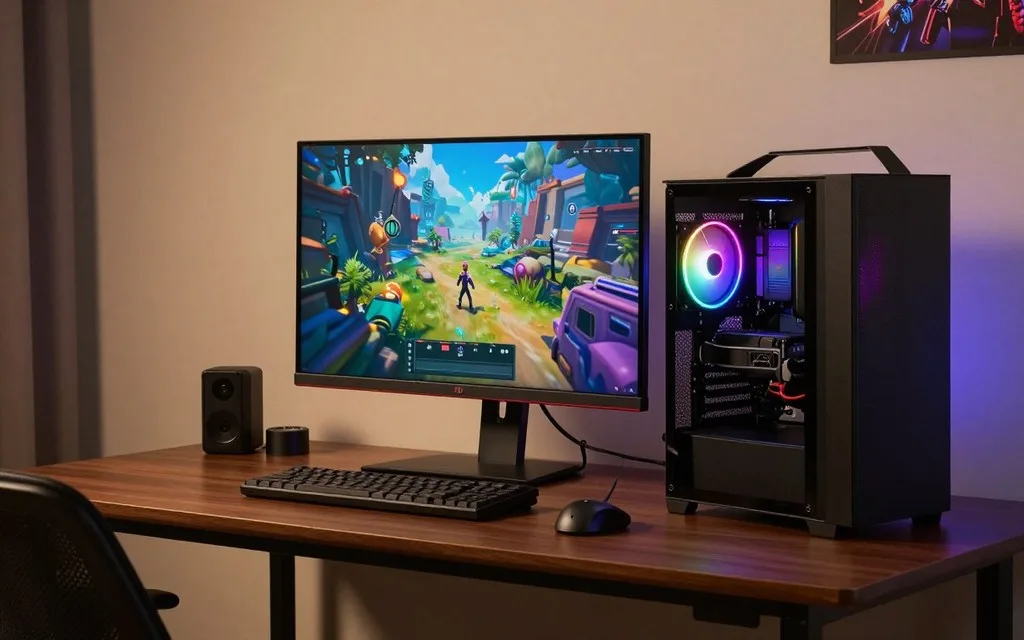
A capable gaming monitor can cost a few hundred dollars, while premium OLED and 4K models can cost well over $1,000. Your ideal spend depends chiefly on resolution, refresh rate, and panel technology. The refresh rate is the number of times a display updates its image each second, measured in hertz (Hz).
A monitor is a separate purchase from a gaming PC, so plan for both when setting a budget. The right screen can make games look sharper or feel smoother, but only if your computer can support its features. You do not need every premium specification to get an enjoyable experience.
Key Takeaways
- Gaming monitors typically cost about $100-$1,400 or more.
- Entry-level 1080p screens can suit casual play.
- Higher resolutions ask more of your graphics card.
- Refresh rate matters most when your PC can deliver matching frame rates.
- OLED and 4K features are optional upgrades, not requirements.
- Start with the resolution and frame rate your computer can actually run, then choose the screen around those needs.
How Much Is a Gaming PC Monitor in 2026?
Plan on about $100-$1,400 or more, with the final price depending on what resolution, speed, and panel features you need. Entry-level 24-inch Full HD models usually cost less than QHD OLED or high-refresh 4K models. A gaming monitor under $100 is usually a basic option, not a premium screen.
Cheap gaming monitors can be enough for casual play, especially when you do not need a high refresh rate or advanced image features. Sharper resolutions, faster refresh rates, larger sizes, and OLED panels raise the price. A typical gaming monitor costs about $100-$1,400+, with resolution, refresh rate, panel type, and size shaping the price.
Set a ceiling before comparing features; a higher price helps only when it buys something your setup can use.
A PC monitor for gaming can serve different needs at each end of that range. A basic screen can handle everyday play, while more expensive monitors add image detail, smoother motion, or deeper contrast. Spending more does not automatically improve gaming performance if your computer cannot use the added features.
Prices can also shift with size and panel technology, even among screens with similar resolutions. Compare the full specification list, not just a headline refresh rate or a feature name. A screen with a lower price may still fit your games well if its core features match your computer.
Set a ceiling before comparing features, since a higher price only helps when it buys a feature your setup can use.
What Do Gaming Monitors Cost by Budget Tier?
A modest budget can cover everyday 1080p play, while the largest premiums usually buy a combination of sharper resolution, OLED, or very high refresh. Each tier offers a different balance of cost and features. The ranges below overlap because size, refresh rate, and panel technology affect price.
Basic 1080p gaming monitors typically cost $90-$200, mainstream QHD models often cost $150-$500, and premium OLED or 4K screens can reach $500-$1,400+. A monitor near the top of one band may share features with a less expensive option in another.
| Tier | Typical price | Common fit |
|---|---|---|
| Entry-level | $90-$200 | 1080p casual play |
| Mainstream | $150-$500 | QHD or faster refresh |
| Premium | $500-$1,400+ | OLED or 4K features |
Entry-level screens for everyday gaming
At the entry level, you can find straightforward 1080p screens for casual gaming. These models suit players who value a low cost and clear, familiar performance over high-end image features. Screen size and refresh rate can still change the price within this tier.
Mainstream displays for sharper, smoother play
Mainstream gaming monitors commonly add QHD resolution or a faster refresh rate. That combination can make games look more detailed and motion feel smoother, provided your PC can support it. You may need to choose between higher refresh and other extras at a fixed budget.
Premium OLED and 4K screens
Premium models often pair OLED or 4K with other high-end features. Those additions can make sense when you value rich contrast, fine detail, or very fast motion. Compare the extra feature you gain against how often you will notice it in your games.
Which Resolution Gives the Best Value for Your Setup?
QHD is often the middle ground when you want more detail than 1080p without making 4K the starting point. The right resolution depends on the image detail you want and the frame rates your computer can sustain. Higher resolution increases image detail but asks more of the graphics card.
1920 x 1080 is Full HD, 2560 x 1440 is QHD, and 3840 x 2160 is 4K UHD. The best value is the resolution that fits your games and hardware, rather than the highest number on a product label.
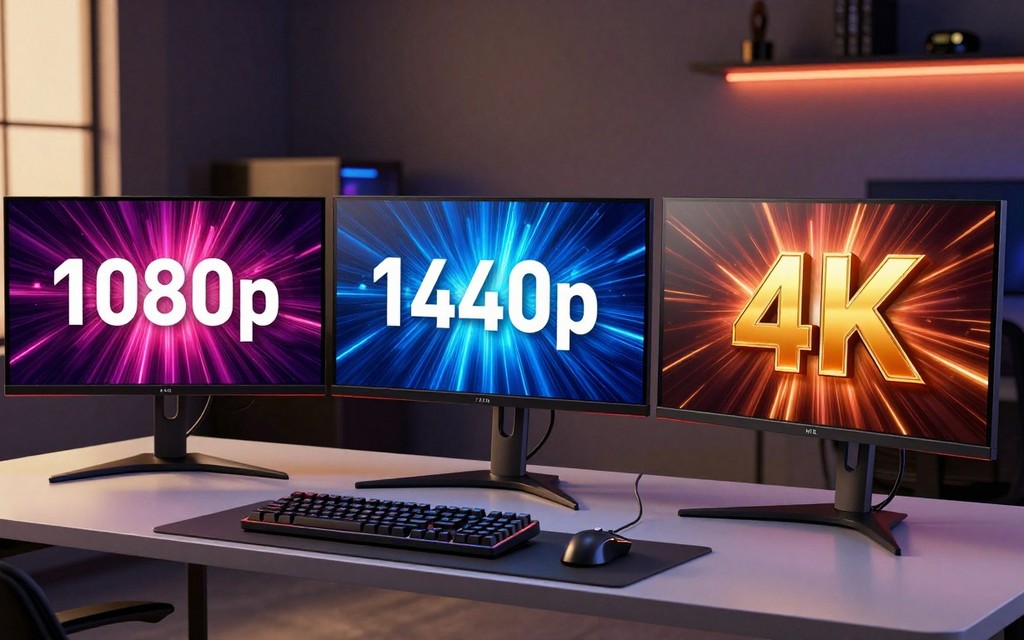
| Resolution | Common screen use | Main trade-off |
|---|---|---|
| 1920 x 1080 | Full HD, lower-cost play | Less image detail |
| 2560 x 1440 | QHD, balanced detail | More graphics-card demand |
| 3840 x 2160 | 4K UHD, detailed gaming | Highest graphics-card demand |
1920 x 1080 for lower-cost and high-frame-rate play
A 1920 1080 gaming monitor is a practical fit when you want to keep graphics demands lower or prioritize high frame rates. Full HD remains a useful choice for everyday play, especially when your computer is not built for heavier workloads.
2560 x 1440 for a balance of detail and performance
A 2560 1440 QHD resolution offers more detail than Full HD without going as far as 4K UHD. Many players use it as a balance between image sharpness and the performance their graphics card can deliver.
3840 x 2160 for detailed 4K gaming
A 3840 2160 screen shows more fine detail, but the graphics card must work harder to render games at that resolution. 4K gaming monitor choices include dual-mode displays such as the ViewSonic XG275D-4K, listed at $499.99 for casual 4K gaming. Its peak refresh rate changes between 1080p and 4K. Match the resolution to the frame rates your PC can sustain in the games you play.
What Refresh Rate Is Enough for Your Games?
For many players, 144Hz is a noticeable and practical step up from a basic 60Hz display. Higher refresh can make movement look smoother, especially in quick games. A monitor’s maximum Hz does not guarantee that your PC can produce matching frames.
Choose refresh rates around the frame rates your games and computer can actually deliver. The refresh rate and response time are different measurements. Refresh rate describes how often the display updates, while response time describes how quickly pixels change between colors.
- Casual single-player play: 60Hz is a basic rate and can suit slower games.
- Competitive play: 144Hz is a common step up for smoother motion.
- High-frame-rate esports: 240Hz or higher helps most when your game and PC deliver correspondingly high frame rates.
Refresh rate can affect how clearly fast motion appears, but it is not the only factor behind motion blur. Response times also matter because slow pixel changes can leave visible trails. Check both specifications rather than treating one number as a complete measure of motion quality.
A higher maximum refresh rate may look impressive on a box, yet it cannot make a computer render frames it cannot produce. Pay extra for very high refresh only if your games and graphics card can make use of it.
Does OLED Cost More Than IPS or Mini-LED?
The panel choice can change the character of the image as much as the resolution does. OLED stands out for dark-room contrast and rapid response, while IPS, VA, and Mini-LED offer different trade-offs. Panel technology can affect both the price and the way games look.
A broad Mini-LED-versus-entry-OLED decision point is around $600-$700, not a guaranteed price cutoff. Mini-LED uses a backlight with local dimming, while OLED pixels light themselves. Consider how you use the screen before paying extra for a panel label.
| Panel type | Typical strength | Trade-off |
|---|---|---|
| IPS | Color and viewing angles | Less deep dark-room contrast |
| VA | Strong contrast | Motion performance varies |
| Mini-LED | Local dimming from a backlight | Backlight zones can remain visible |
| OLED or QD-OLED | Self-lit pixels and deep blacks | Burn-in risk and bright-room behavior |
OLED and QD-OLED for contrast and color
OLED gaming can deliver deep blacks because each pixel lights itself. QD-OLED combines OLED pixels with quantum dot color technology, creating another option for players focused on contrast and color performance. Those strengths can be especially appealing in a dim room.
An OLED gaming monitor also deserves a closer look at its trade-offs. Burn-in risk matters when the same fixed images remain on screen for long periods. Bright-room behavior is another point to consider, since room lighting can affect how the image appears.
IPS, VA, and Mini-LED for different trade-offs
IPS, VA, and Mini-LED screens may suit you better when their balance of image quality and cost fits your routine. VA panels are known for strong contrast, while IPS models are often valued for color and viewing angles. Mini-LED adds local dimming through its backlight.
A QD-OLED gaming monitor can be compelling when its contrast and color matter enough to justify its cost and care. Choose OLED for its image strengths when you are comfortable with its trade-offs, rather than paying for the label alone.
What Screen Size and Aspect Ratio Fit Your Desk?
A 27-inch screen is a familiar all-round size, while a 34-inch ultrawide needs noticeably more horizontal room. Desk space and your usual viewing distance help determine what feels comfortable. A larger screen takes up more room, and ultrawide is a fit preference, not a universal upgrade.
Check your available desk width and viewing distance before settling on a screen size. Common gaming monitor sizes include 24 inches and 27 inches. Standard 16:9 screens take up less horizontal desk space than ultrawide models.
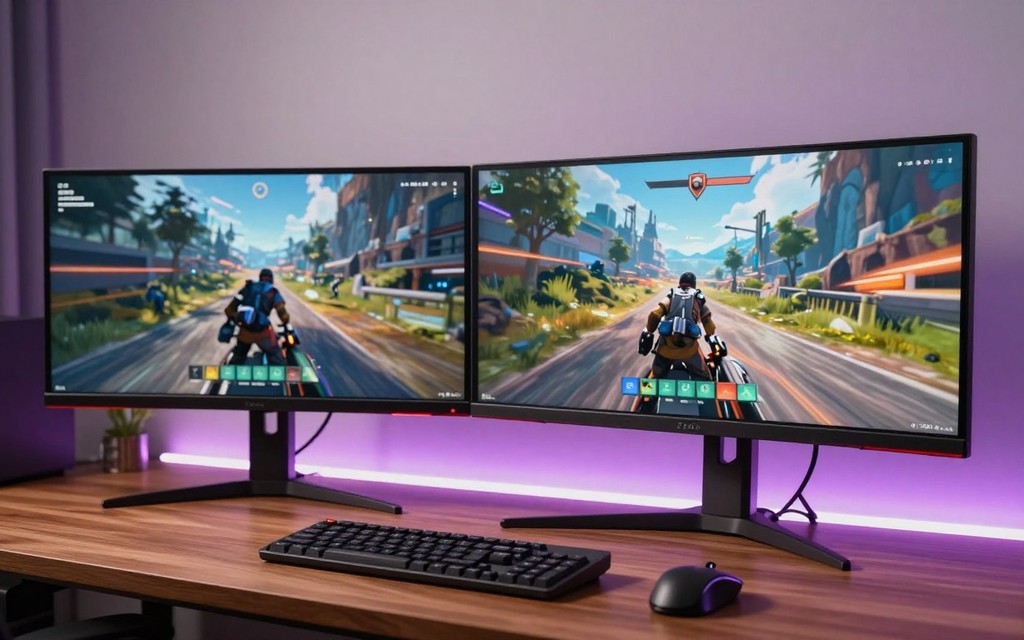
- Measure available desk width, including space used by the stand.
- Consider your normal viewing distance from the screen.
- Check whether your preferred games support ultrawide well.
A 34-inch ultrawide commonly uses a 21:9 aspect ratio. Some ultrawide screens use resolutions such as 3440 1440, while larger formats can reach 5120 2160. More horizontal space can be useful, though game support varies.
The extra width can also compete with speakers, a laptop, or other desk gear. Measure the desk before choosing an ultrawide, especially if speakers or other gear share the same space.
Which Gaming Monitor Picks Fit Each Budget?
A 24-inch Full HD screen, a 27-inch QHD OLED, and a 4K 240Hz display serve very different budgets and priorities. Compare the exact fit, including size, resolution, panel, and refresh rate. Listed prices, reviewed prices, street prices, and MSRPs describe different price types, not guaranteed current offers.
Choose a model by the features you will use, not by a claim that one screen suits every player. The examples below show varied options, and their prices can change. The five-row comparison provides a quick look at distinct combinations of features.
Lower-cost Full HD and QHD options
The Pixio PX248 Wave is a 24-inch Fast IPS screen with a 200Hz refresh rate, listed at $149.99. The MSI PRO MP273L E14 is a 27-inch 1920 x 1080 model with a 144Hz refresh rate, listed at $94.99. Both offer more motion speed than a basic 60Hz screen.
For QHD, the ASUS TUF VG27AQE5A is a 27-inch 165Hz model listed at $149.99. The ASUS TUF VG27AQ5A is a 27-inch QHD 210Hz screen listed at $179.99. The MSI MAG 274QPF E20 is 27-inch QHD 200Hz, also listed at $179.99.
The Gigabyte G27U is a 27-inch 4K 160Hz screen listed at $249.99, an unusual low-cost combination of resolution and speed. The ASUS TUF VG34VQL3A offers a 34-inch curved 3440 x 1440 panel at 180Hz, listed at $249.99. Its ultrawide shape needs more desk width.
The AOC Q27G3XMN is a 27-inch 2560 x 1440 VA Mini-LED screen with a 180Hz refresh rate. The Dell SE2426HGS is a 24-inch 1920 x 1080 IPS model with a 240Hz refresh rate. The Alienware AW3225DM is a 32-inch QHD VA screen at 180Hz, while the 34-inch Alienware AW3425DWM is 3440 x 1440 VA at 180Hz.
| Model | Resolution and panel | Refresh rate | Listed price |
|---|---|---|---|
| Pixio PX248 Wave | 1080p Fast IPS | 200Hz | $149.99 |
| Alienware AW2726DM | QHD QD-OLED | 240Hz | About $350 |
| MSI MPG 271QR QD-OLED X50 | QHD QD-OLED | 500Hz | $799 |
| ViewSonic XG275D-4K | 4K, variable by resolution | Variable peak | $499.99 |
| MSI MPG 322UR QD-OLED X24 | 4K QD-OLED | 240Hz | $1,100 |
OLED and high-refresh QHD choices
For QHD OLED, the ASUS ROG Strix OLED XG27AQDMES is a 26.5-inch 240Hz screen listed at $399.99. The Samsung Odyssey OLED G5 G50SF is a 27-inch QHD 180Hz model listed at $329.99. The Alienware AW2726DM is a 27-inch QHD 240Hz QD-OLED monitor priced at about $350.
The MSI MAG 272QPW QD-OLED X28 is a 26.5-inch QHD 280Hz model listed at $549.99. The MSI MPG 271QR QD-OLED X50 pairs a 27-inch 2560 x 1440 panel with 500Hz refresh and a 0.03ms response time; its listed price is $799. The ASUS ROG Swift PG27AQDP is 27-inch QHD OLED at 480Hz, with a $999 MSRP and approximate $900 street price.
The Acer Nitro XV273U F5 reaches 540Hz at native QHD and 1,000Hz at 720p, with a stated price of $700. The MSI MAG 274QPF X30MV is a 1440p Mini-LED model with 300Hz refresh. The ASUS ROG Strix XG34WCDMS is a 34.2-inch 3440 x 1440 QD-OLED screen at 280Hz, listed at $899.99.
The Alienware AW3423DWF is a 34-inch 3440 x 1440 QD-OLED screen at 165Hz, with an approximate $800 street price and $1,100 MSRP. The Alienware AW2726DM’s price is listed at about $350, while prices for these models may differ by seller and time.
4K and premium gaming monitors
The MSI MPG 272URX QD-OLED is a 26.5-inch 4K OLED screen at 240Hz, with a reviewed price of $1,099.99. The 32-inch MSI MPG 322UR QD-OLED X24 is 4K QD-OLED at 240Hz and listed at $1,100. Both target players seeking 4K detail with fast refresh.
The ASUS ROG Swift PG27UCDM was listed at $1,099. The ASUS ROG Swift OLED PG27UCWM is a 26.5-inch 4K 240Hz OLED model listed at $1,199.99. The ASUS ROG PG32UCWM is a 31.5-inch 4K 240Hz OLED screen listed at $1,399.99.
The ASUS ROG Strix XG32UQWMS is a 31.5-inch 4K 240Hz OLED screen listed at $699.99. The ASUS ROG Strix XG32UCDS is a 31.5-inch 4K 165Hz QD-OLED model listed at $649.99. The ASUS ROG Strix XG32UCWMG supports 4K at 240Hz or 1080p at 480Hz, with an approximate $850 street price.
Prices here are listed, reviewed, or street figures, not promises of future pricing or temporary discounts. Check the exact model suffix before buying, since similar model names can describe different sizes, resolutions, or refresh rates.
What Should You Check Before Buying a Cheap Gaming Monitor?
A sub-$50 screen is more likely to be used or basic than a new display with the gaming features most buyers expect. At that price, do not expect a dependable new high-refresh gaming monitor. Check the core specifications and terms before paying.
Confirm the native resolution, maximum refresh rate, compatible video inputs, and return terms. A monitor’s response time affects how quickly pixels change, while adaptive sync can reduce screen tearing. These features matter only when they work with your computer or console.
- Native resolution: confirm the image size the monitor is designed to show.
- Maximum refresh rate: check the limit at the resolution you plan to use.
- Compatible video inputs: match ports to your graphics card or console.
- Return terms: know the seller’s conditions before you buy.
FreeSync and G-Sync Compatible are adaptive-sync labels used to reduce screen tearing. HDMI 2.1 can support gaming features, including higher-bandwidth video connections. Confirm that your graphics card and console support the connections and features you need.
A used display may have wear that is not clear from its specifications alone. Verify the full model number and return terms before paying, particularly for a used screen.
How Much Should You Budget for the Gaming PC and Monitor Together?
A complete setup costs the PC build estimate plus the monitor you choose, because the PC figures below exclude the display. Budget separately for each part so the screen does not disappear from your total. A gaming PC and monitor bundle or a gaming PC and monitor under $250 is not realistic for a new dedicated gaming PC plus display.
Estimated 2026 PC builds range from $700-$1,000 for entry-level, $1,300-$1,900 for mid-range, and $2,000-$3,500+ for high-end, before a separate monitor. The PC estimate leaves the cost of the display out.
- Entry-level gaming PC: $700-$1,000 before a monitor.
- Mid-range gaming PC: $1,300-$1,900 before a monitor.
- High-end gaming PC: $2,000-$3,500+ before a monitor.
A 2026 gaming PC guide recommends 16GB of RAM as the minimum and 32GB as the recommended amount. A 500GB or 1TB NVMe SSD is a budget storage choice. Those parts help shape the PC build cost, while the screen remains a separate line in your plan.
A budget should reflect the PC’s gaming performance as well as the screen’s features. Choose the PC tier first, then reserve a separate amount for a screen that matches its graphics performance.
How Can You Compare Gaming Monitor Deals?
A lower price matters only if the monitor still has the resolution, refresh rate, and panel you actually want. Compare the exact model and its full specifications before judging the discount. A deal price describes a particular promotion, not a guaranteed future price.
October 2026 promotion prices are time-specific and may not be available later. Check the resolution and panel alongside refresh rate; a lower price can still be the wrong fit for your gaming needs.
Compare the model and specifications, not just the discount
The examples below show October 2026 promotion prices and their stated specifications. The table lists five options with different screen sizes, panels, and speeds. Treat each price as a dated promotion rather than a standing price.
| Model | Resolution and panel | Refresh rate | October 2026 promotion price |
|---|---|---|---|
| MSI PRO MP243L E14 | 1080p | 144Hz | $89.99 |
| ASUS TUF Gaming VG27AQ3A | 1440p | 180Hz | $199 |
| MSI MAG 274QP QD-OLED X24 | 1440p QD-OLED | 240Hz | $349.99 |
| Alienware AW2725DF | 2560 x 1440 Quantum-Dot | 360Hz | $469.99 |
| Alienware AW3426DW | 3440 x 1440 OLED | 280Hz | $629.99 |
Other October 2026 offers included the Samsung Odyssey G30D, a 27-inch 180Hz screen for $129.99. The Gigabyte M27Q2 was a 27-inch 1440p 200Hz model at $159.99. The Samsung Odyssey G55C was a 32-inch curved QHD 165Hz monitor at $189.99.
Compare the same model’s resolution and refresh rate, not just the discount label. A different suffix can refer to a different size or feature set, even when the product names look nearly identical.
Check whether a promotion fits your timing
A temporary offer helps only when its specifications suit your games and PC. If a monitor misses your preferred resolution or panel, a discount does not fix that mismatch. Promotion prices are time-specific and are not guaranteed future prices.
Before checkout, verify the model suffix, final price, and return terms on the current listing.
Conclusion
The right price is the amount that buys the features your games and hardware can use. A good gaming monitor pairs a resolution and refresh rate your PC can sustain with the games you enjoy.
Premium OLED or 4K features are optional, not automatic upgrades. They make sense when their strengths matter to you and your system can support them.
Write down your target resolution, refresh rate, and spending limit, then compare models that meet all three.
FAQ
How much should a gaming monitor cost?
A basic gaming monitor can cost around $100-$200. More advanced QHD, OLED, or 4K features raise the budget, and premium models can cost much more. Your price depends on which features fit your games and computer. You can keep spending in check by choosing a resolution and refresh rate your hardware can use.
Are gaming monitors really worth it?
Yes, a gaming monitor can be worthwhile when its higher refresh rate, adaptive sync, or gaming-focused response improves the experience you want. A faster screen can make motion look smoother when your computer produces enough frames. Adaptive sync can reduce screen tearing. The value comes from features you notice during play, not from a gaming label alone.
How much is a gaming PC and monitor?
Add the monitor budget to the PC build budget because the 2026 PC estimates exclude a separate display. Entry-level PC builds are estimated at $700-$1,000, mid-range builds at $1,300-$1,900, and high-end builds at $2,000-$3,500+. The monitor is an extra cost, so include it when setting the total budget for your setup.
Is $700 enough for a gaming PC?
Yes, $700 is at the lower end of the estimated $700-$1,000 entry-level PC build range. That estimate covers the PC build before you buy a monitor. Set aside a separate amount for the display, and choose one that matches the graphics performance of the computer you build.
Is $1000 enough for a gaming PC?
Yes, $1,000 is the upper end of the estimated entry-level PC build range for 2026. The monitor remains a separate purchase, so a complete setup costs more than the PC alone. Decide how much of your overall budget to reserve for the display before choosing its resolution and refresh rate.
How much would a decent gaming PC cost?
A 2026 gaming PC build is estimated at $700-$1,000 for entry-level, $1,300-$1,900 for mid-range, and $2,000-$3,500+ for high-end. Those figures exclude a separate monitor. The right tier depends on the graphics performance you want for your games, so leave room in the total budget for a screen that fits.
If you want to dig further into what is digital computer system processing bi, read our What is Digital Computer System Processing Bi guide.
If you want to dig further into what is system in computer science overview o, read our What is System in Computer Science Overview o guide.
If you want to dig further into what is basic computer system core components, read our What is Basic Computer System Core Components guide.
Leave a Reply