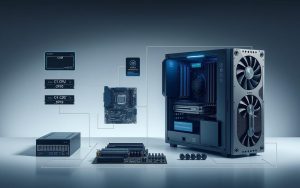

At the heart of modern technology lies a remarkable innovation: the digital computer. These machines have changed our world, powering everything from smartphones to supercomputers. Their amazing abilities come from one key principle – processing information using only two states.
This foundation is known as the binary system. It’s where all data is turned into sequences of 0s and 1s. These binary digits, or bits, are the basic language that drives all digital system operations.
Understanding this core concept unlocks the mysteries of contemporary digital computing. It shows how complex operations come from simple binary choices. This creates the advanced technology we use every day.
Knowing these basics gives us a deep insight into how modern devices work. They process information and execute commands with incredible speed and precision.
Defining a Digital Computer System
Digital computer systems are key to today’s technology. They use electronic parts to process information in numbers. This is different from analogue systems, which handle continuous values.
Core Characteristics of Digital Systems
Digital systems have unique features that set them apart. These ensure they work well and are the heart of today’s computers.
The main traits are:
- Discrete data representation – Information is in clear states, not continuous
- Electronic operation – Uses semiconductors for fast processing
- Programmability – Can do different tasks based on instructions
- Deterministic behaviour – Always gives the same output for the same input
Together, these traits make systems great at handling complex data processing. Their electronic nature means they can work very fast. This is essential for today’s computing needs.
Binary Data as the Foundation
At the core of digital systems is binary data. It only has two values: 0 and 1. This simple approach lets computers understand and change information through electrical states.
Bits, or binary digits, match physical states in hardware. A 1 means there’s current, and a 0 means there isn’t. This simple system is the base for all digital work.
The beauty of binary is its simplicity and reliability. It turns information into basic yes/no answers. This helps computers be very precise in their data processing. It supports everything from simple math to advanced AI.
Today’s computers and electronics rely on binary. The CPU function uses binary for its operations and calculations. Modern processors can do billions of these operations every second.
Understanding Binary Data in Computing
Digital computers use binary data for all their tasks. This binary system is key to how information is processed, stored, and moved in computers.
Basics of Binary Digits (Bits)
A binary digit, or bit, is the smallest unit of data in computing. Each bit can be either 1 or 0, showing different electrical states in the system.
These basic states are the foundation of all digital information. When bits are combined, they create more complex data that computers can handle well.
Computers use different encoding schemes to handle various types of information. For text, they use ASCII, where each character has a unique binary code.
This method makes data handling in computer memory and input output devices efficient. It ensures reliable and precise processing.
Some common ways to represent data include:
- Numbers: Use binary code with place values
- Text characters: Have standardised binary patterns
- Instructions: Are converted to binary for the CPU
This binary system lets computers manage different data types efficiently. It supports the complex tasks modern computers do.
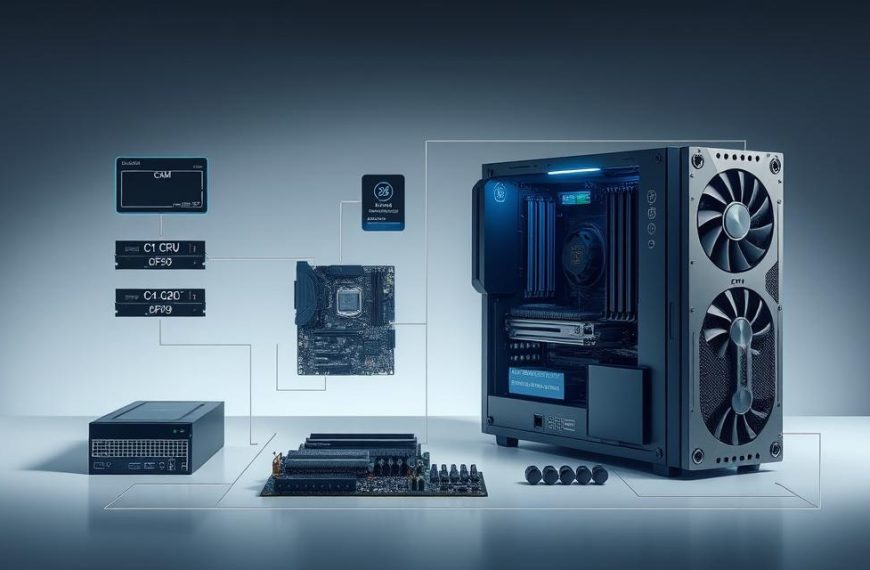
What is a Digital Computer System: Key Components
Every digital computer has special parts that work together. They handle the ones and zeros that are the base of all digital work. These parts show the amazing engineering in today’s computers.
Central Processing Unit (CPU)
The CPU is the computer’s brain. It does instructions and calculations. It uses electrical paths to process binary data.
Modern CPUs have billions of transistors. These transistors switch on and off to represent binary digits.
Role in Processing Binary Instructions
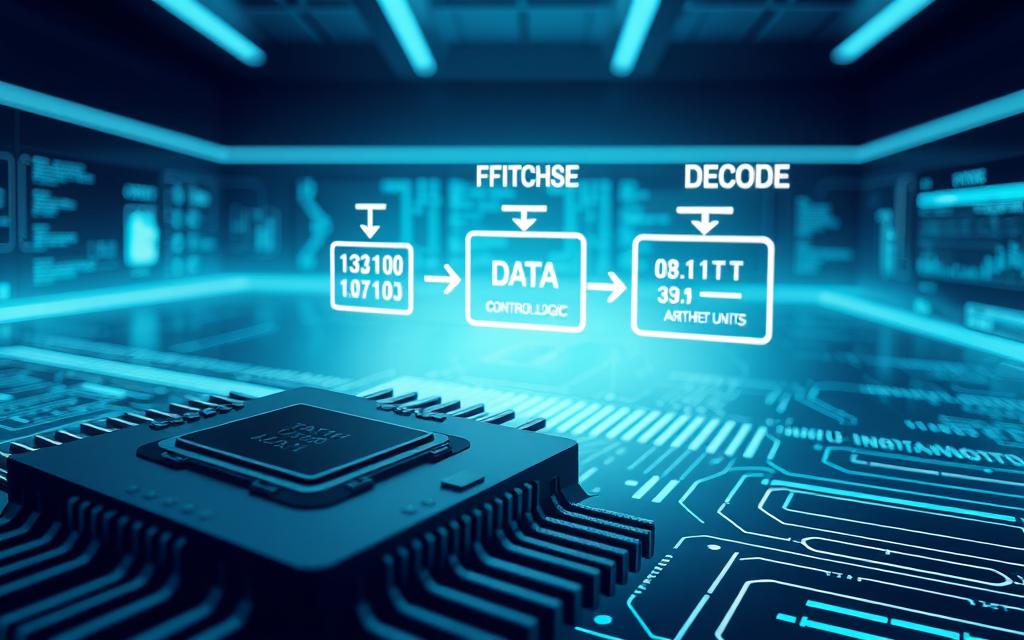
CPUs go through a cycle of fetching, decoding, and executing commands. Each command is a sequence of bits. The CPU follows its instruction set architecture to understand these bits.
The processor’s arithmetic logic unit does math with binary numbers. Inside the CPU and RAM, signals are either on (1) or off (0). This binary system helps with precise digital work.
The CPU’s clock makes sure these operations happen together. This ensures the correct execution of binary instructions.
Memory Units
Computer systems use different memories to store and get binary data. These memories vary in speed, size, and how long they keep data. Each has its own role in handling data.
Primary vs. Secondary Memory Functions
Primary memory, or RAM, holds active programs and data temporarily. It’s fast but loses data when power goes off. Secondary memory, like hard drives and SSDs, keeps data even without power.
| Memory Type | Access Speed | Storage Capacity | Persistence |
|---|---|---|---|
| RAM (Primary) | Nanoseconds | GBs | Volatile |
| SSD (Secondary) | Microseconds | TBs | Non-volatile |
| Hard Drive (Secondary) | Milliseconds | TBs | Non-volatile |
| Cache Memory | Picoseconds | MBs | Volatile |
“The difference between primary and secondary memory is key in computer design. It’s about balancing speed with how long data lasts.”
Input and Output Devices
These parts connect the digital world to us. Input devices turn physical actions into digital info. Output devices show binary data as images, sounds, or text.
Translating Data for User Interaction
Keyboards turn keystrokes into binary codes using ASCII or Unicode. Mice change movement into binary data. Monitors show binary pixel info as images with millions of coloured dots.
This process shows how computing helps us every day. It keeps data safe while making it easy for us to use. The smoothness of these translations is key to the advantages of binary systems in today’s tech.
Storage Systems
Storage systems keep data safe for a long time. They keep binary data even when the computer turns off. New storage tech is getting better at storing more and faster.
Long-term Data Retention Mechanisms
Devices like hard drives, SSDs, and flash memory use binary for storing and getting data. Hard drives use magnetic patterns on spinning platters. SSDs use flash memory cells to keep binary states.
These methods keep data safe through different physical ways. Binary lets for error correction and keeping data safe. Storage systems are the backbone of all digital applications of computing.
How Digital Systems Process Binary Data
Digital computers turn human instructions into binary language. They do this through a complex mix of parts. This method makes sure binary data is processed accurately and quickly.
ASCII codes connect human text to machine language. Each character is turned into a binary code. This code is what the computer understands as instructions.
The Fetch-Decode-Execute Cycle
The fetch decode execute cycle is at the heart of processing binary data. It’s how the CPU handles instructions with great precision and reliability.
Today’s processors do billions of these cycles every second. This speed is key to today’s computing power.
Step-by-Step Data Handling
The cycle starts with fetching. The CPU gets binary instructions from memory using addresses.
In the decode phase, the control unit reads the binary instruction. It figures out what action to take.
The execute phase does the action. The CPU does the math or moves data as the instruction says.
“The elegance of the fetch-decode-execute cycle lies in its simplicity and reliability. This fundamental process has remained basically the same for decades.”
After doing the action, the cycle starts again. The program counter moves to the next instruction in memory.
Data Pathways and Buses
Data transfer is smooth thanks to special paths in the computer. These data pathways help parts talk to each other.
Buses are like highways for binary data. They move info between the CPU, memory, and devices.
Efficient Data Transfer Within the System
There are three main types of buses:
- Address buses tell where data is
- Data buses carry the actual info
- Control buses manage timing and coordination
The size of these buses affects how fast data moves. Bigger buses can carry more data at once.
Today’s systems use many bus types. This helps data flow better for different tasks.
| Bus Type | Function | Transfer Rate |
|---|---|---|
| System Bus | CPU to main memory | Highest speed |
| Expansion Bus | Peripheral connections | Medium speed |
| Backside Bus | CPU to cache memory | Ultra-high speed |
Good data transfer systems make modern computing fast. They’re key for future computing trends and design.
Fast data paths help avoid slowdowns in processing. This boosts system performance and what it can do.
Advantages of Binary Data Processing
Digital computing systems use binary data processing to get great benefits in modern tech. The two-state system of binary is key to its high performance in many areas.
Reliability and Precision in Computations
The binary system is very reliable in digital computing. It has only two states—0 and 1. This makes it hard to make mistakes.
This simplicity means computers work well all the time. They can easily tell the difference between 0 and 1. This makes data transfer and processing clear and accurate.
Error Reduction and Consistency
Binary data is the basis for safe data storage and encryption. Its clear states mean data stays correct during use and transfer.
As one expert says:
“Binary data ensures that information can be accurately sent, received, and interpreted across systems, maintaining integrity throughout complex operations.”
Scalability and Speed
Binary processing makes digital computing systems very scalable. They can handle more complex tasks by adding more bits.
Binary operations are fast because they use electronics. Transistors switch quickly, allowing for fast calculations.
Handling Complex Operations Efficiently
Modern computing shows how binary systems handle complex tasks well. They use parallel processing to do many things at once.
This makes binary perfect for simple and complex tasks alike. The binary system is the core of today’s computing power.
Digital computing keeps getting better, but binary’s benefits stay the same. Its reliability, precision, and scalability mean binary will keep driving tech progress for a long time.
Common Applications of Binary-Based Systems
Binary-based computing systems are at the heart of today’s technology. They power everything from personal gadgets to big business solutions. Their simple on/off states make them very useful in many areas.
Personal Computing Devices
Everyday computing depends a lot on binary systems. Laptops and desktops use binary code to run programmes, manage files, and connect to the internet.
Everyday Uses in Laptops and Desktops
Binary processing is seen in many personal computing tasks. Users enjoy binary systems when:
- Creating documents and spreadsheets
- Browsing websites and streaming content
- Running software applications
- Storing personal data and media files
The CPU function is key in these devices. It makes sure everything runs smoothly and efficiently. This is great for work and home use.
Enterprise and Scientific Computing
Beyond personal devices, binary systems are vital for business and research. They need strong processing and reliability.
High-Performance Data Processing
Enterprise systems use binary computing for complex tasks. These include:
- Scientific simulations and modelling
- Large-scale data analytics
- Machine learning classification tasks
- Digital communication systems
These systems use advanced CPU function to handle big data. The binary base ensures accurate results in finance, weather, and health research.
High-performance computing shows how binary systems can grow. Companies can handle huge amounts of data while keeping results reliable and precise.
Evolution and Future Trends
Digital computing has seen a remarkable journey. From ideas to real-world use, binary systems have changed how we handle information. This shows the lasting power of binary logic and our drive for better computing.
Historical Development of Binary Systems
Modern computing started with math pioneers. Gottfried Leibniz, a German genius, improved the binary system in the 17th century. His work laid the groundwork for all digital computing.
From Early Computers to Modern Architectures
Early computers were huge and slow. They were much less powerful than today’s simple calculators. But, they evolved into more efficient systems with new technologies.
New computer memory and input output devices made data processing faster. This change has also transformed how we handle information, as seen in the evolution of electronic data systems.
Today’s computers have many cores, advanced caching, and parallel processing. These advancements show how binary principles can handle complex tasks.
Emerging Technologies
New technologies are being explored, building on binary systems. These innovations aim to solve problems that traditional computing can’t.
Quantum Computing and Beyond
Quantum computing is a big leap from traditional binary systems. It uses qubits that can be in many states at once. This allows for massive parallel processing.
Quantum memory stores probabilities, not definite values. This difference brings both opportunities and challenges for future systems.
Other new technologies include neuromorphic computing and optical computing. These might change how we use computers, even though they’re based on binary logic.
| Era | Key Development | Impact on Binary Processing |
|---|---|---|
| 17th Century | Leibniz’s Binary System | Mathematical foundation for digital computation |
| 1940s-1950s | First Electronic Computers | Practical implementation of binary logic |
| 1970s-1980s | Microprocessor Revolution | Miniaturisation of binary processing units |
| 2000s-Present | Multi-core Architectures | Parallel binary processing |
| Emerging | Quantum Computing | Beyond binary states while using binary principles |
Using advanced binary systems can help businesses make better decisions. This ensures they stay competitive in a digital world. The journey of binary computing is far from over, with new innovations on the horizon.
Conclusion
Digital computer systems are key to today’s technology, with binary data at their heart. They use ones and zeros to do complex tasks. This is thanks to parts like the CPU, memory, and input/output devices working together.
The benefits of binary systems are clear. They are reliable, precise, and can grow with needs. This makes them essential for all sorts of tasks, from simple maths to complex AI.
Binary systems are used everywhere, from personal gadgets to big business solutions. They help in science, finance, and creative fields. This shows how versatile and important binary technology is.
Even as new tech like quantum computing and neural networks come along, binary systems are the base. Knowing about them helps us understand today’s tech and what’s coming next.
FAQ
What is a digital computer system?
A digital computer system is an electronic device. It uses binary digits (bits) to process data. These bits are 0s and 1s. It can be programmed and performs tasks like computations and communication.
Why do digital computers use binary data?
Digital computers use binary data because it’s reliable and precise. It matches the on/off states of electronic components. This makes data processing simpler and reduces errors.
What are bits and bytes in computing?
A bit is the smallest unit of data, with a value of 0 or 1. A byte is 8 bits. It represents characters, numbers, or instructions. This allows for complex data in digital systems.
How does the CPU process binary data?
The CPU processes binary data through a cycle. It fetches instructions, interprets them, and executes them. This ensures tasks are done accurately and efficiently.
What are the advantages of binary data processing?
Binary data processing is reliable and precise. It’s scalable for complex operations. And it’s fast, making it ideal for modern systems.
Where are binary-based systems commonly used?
Binary systems are everywhere. They power personal devices like laptops and smartphones. They’re also used in enterprise and scientific applications.
How has binary computing evolved over time?
Binary computing started with early work by figures like Gottfried Wilhelm Leibniz. It evolved into modern digital computers. Trends like quantum computing are building on these principles.
What role do input and output devices play in binary systems?
Input devices, like keyboards, turn physical actions into binary data. Output devices, like monitors, show binary data as text or images. They help users interact with digital systems.
How is data transferred between components in a digital computer?
Data moves through electronic channels called data pathways and buses. These enable the CPU, memory, storage, and devices to work together efficiently.
Can binary systems handle complex and large-scale computations?
Yes, binary systems can handle complex tasks. They use more bits and advanced architecture. This supports everything from simple arithmetic to complex scientific modelling and artificial intelligence.


 By
By